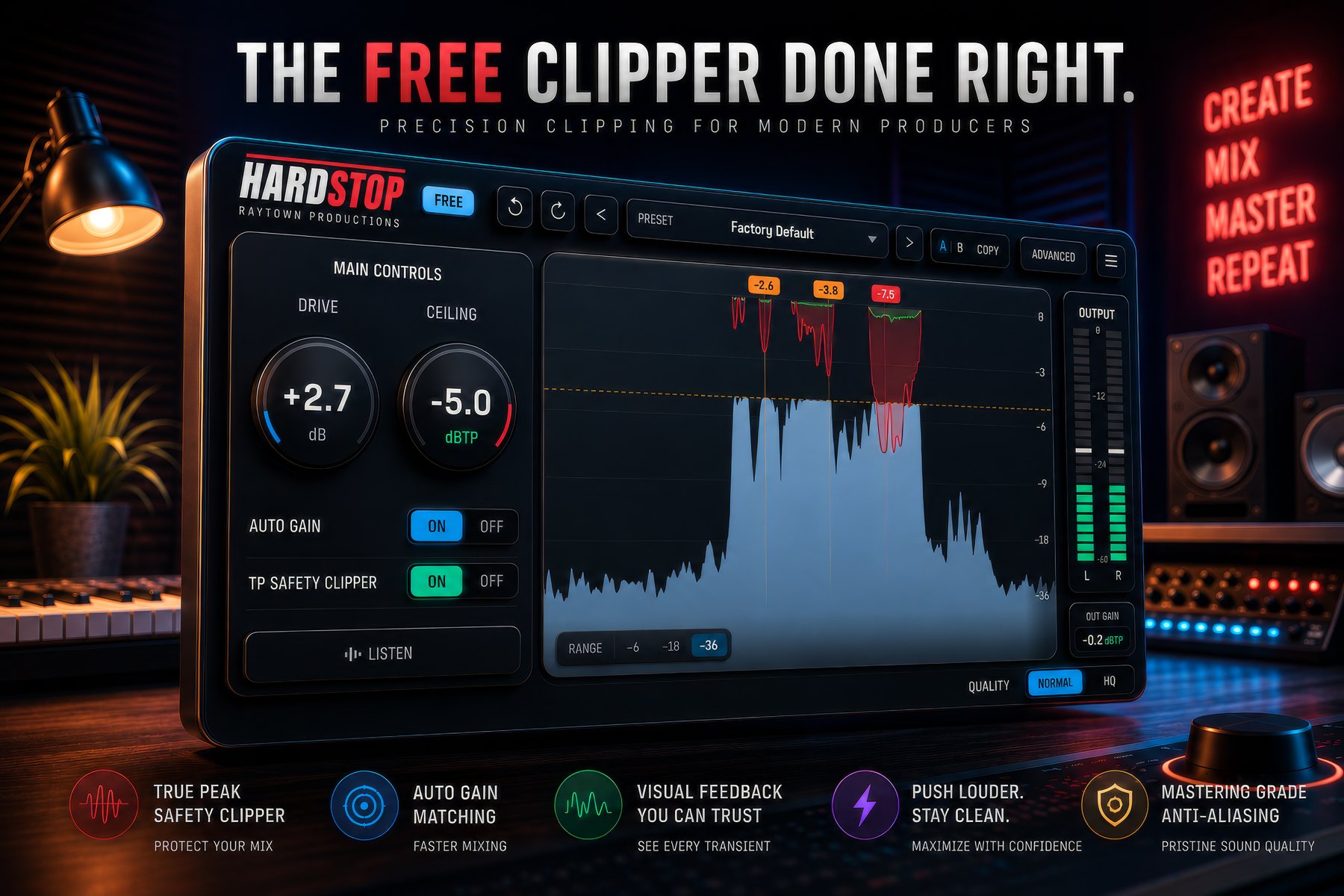
True-peak safety clipper
An oversampled lookahead limiter catches the intersample overshoots a raw clipper can't see. Tested against worst-case sources so it never fails streaming normalisation - measured at 8X where the standard requires 4X.
A precision hard clipper and true-peak limiter for producers who want competitive loudness without the fizz, the pumping, or the guesswork. You see every peak you're shaving - and hear exactly what's coming off.
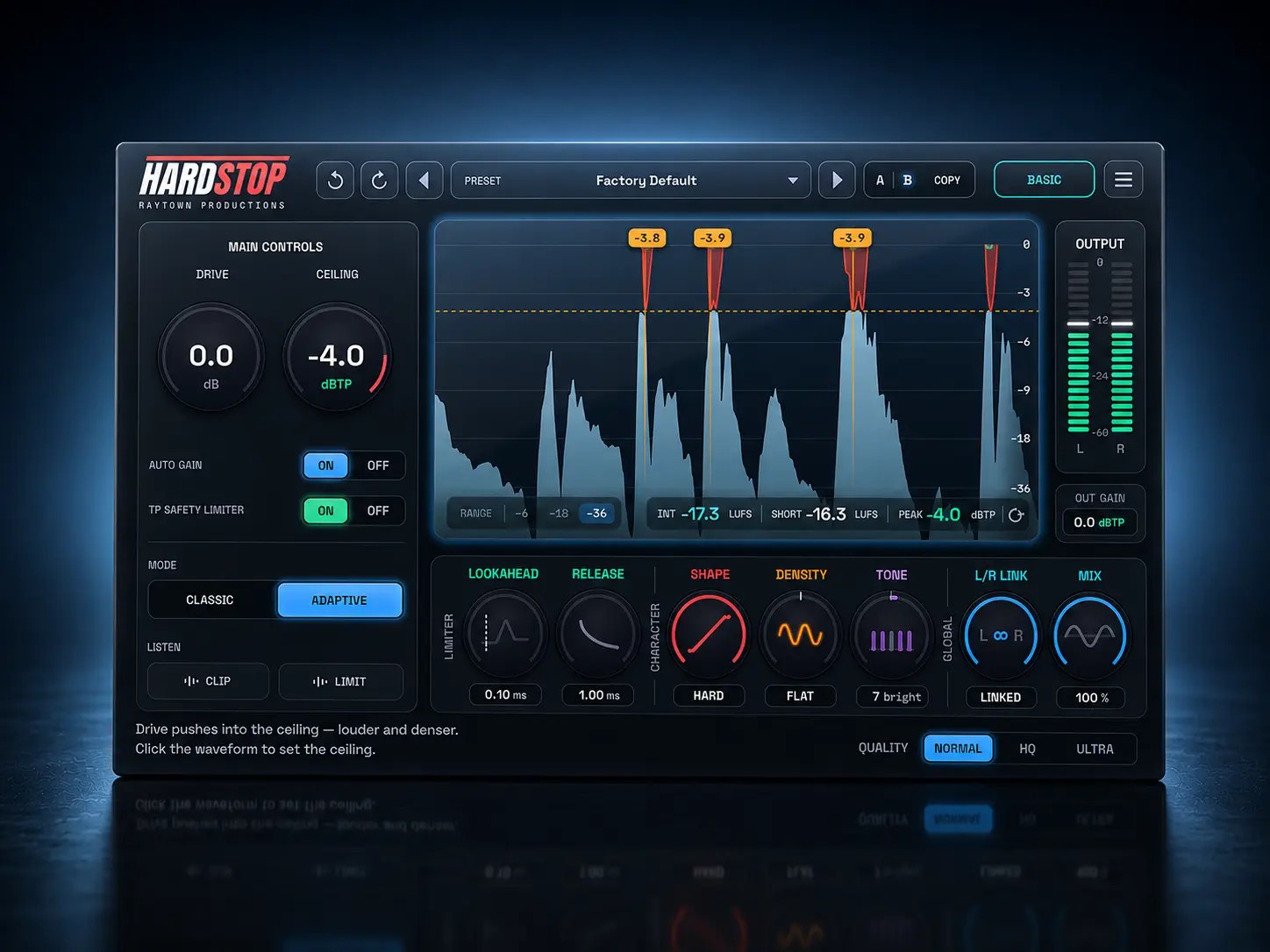
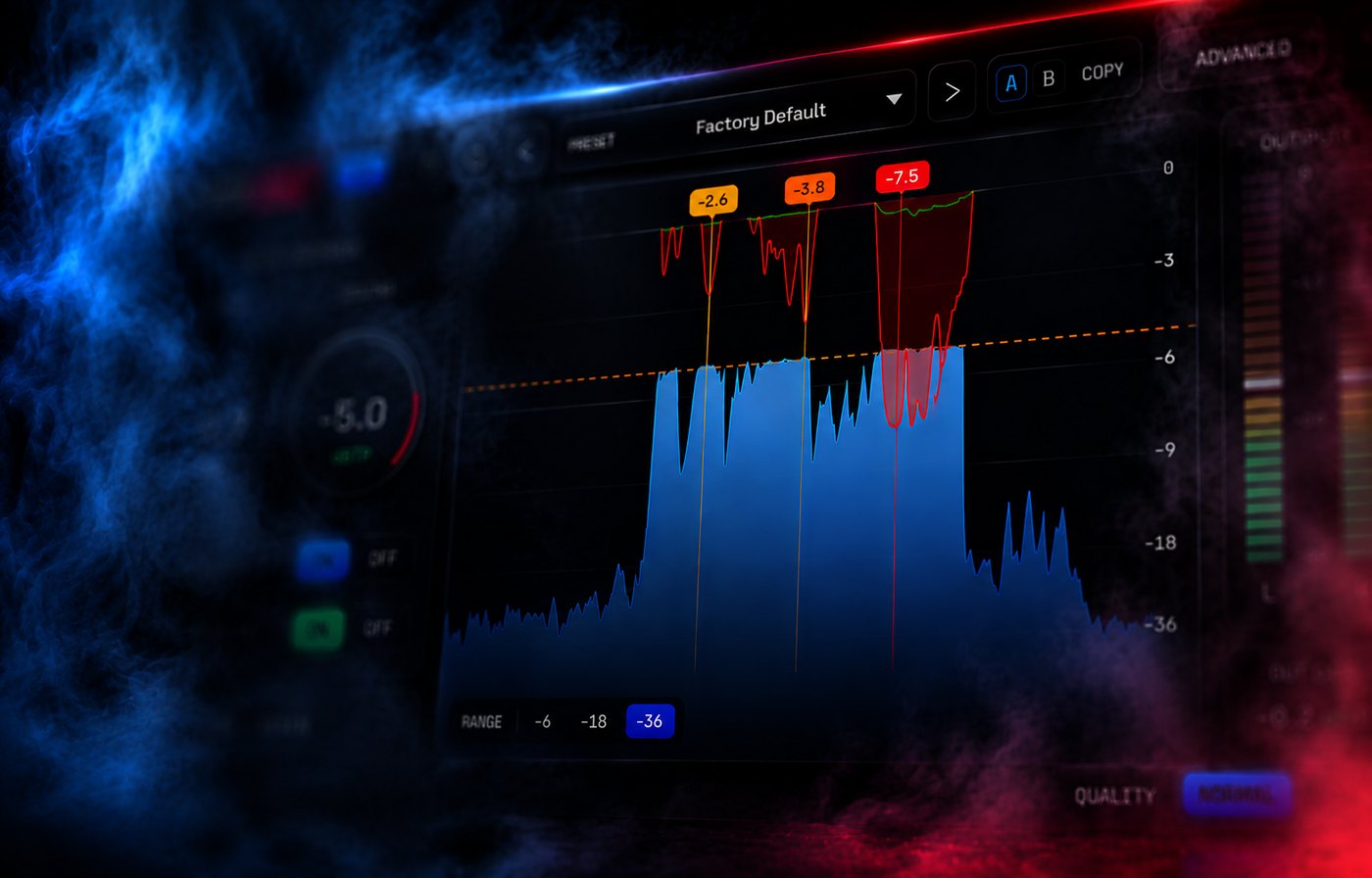
Every mix has a few peaks sticking out far above everything else. To get louder, something has to deal with them. A clipper does the most direct thing possible: it flattens the very top off those peaks so the rest of the track can come up. Done gently it's inaudible. Done hard it becomes a sound - the tight, aggressive loudness of modern rock, metal, pop and EDM.
You add gain with Drive, and any sample that would exceed the Ceiling is clamped to it. Unlike a compressor or limiter there is no attack or release envelope in the clip itself - it acts instantly, sample by sample. That's what keeps transients punchy instead of pumping.
HardStop Basic isn't a crippled demo. Its output at default settings is byte-identical to Pro. Pro adds character, control and metering - it doesn't unlock the quality.
An oversampled lookahead limiter catches the intersample overshoots a raw clipper can't see. Tested against worst-case sources so it never fails streaming normalisation - measured at 8X where the standard requires 4X.
Clipping creates brand-new ultra-high frequencies that fold back as harsh, grainy fizz. HQ and Ultra use a layered approach that significantly out-performs traditional oversampling - so the only distortion you hear is the distortion you asked for.
Post-clip gain tracks the inverse of Drive, so loudness stays put while you audition. Push Drive and you hear the character of the clip, not a volume increase fooling your ears. Toggle it off to hear the real gain you earned.
Red on the waveform is clipper gain reduction; green is the TP limiter. Both are drawn to match the audio sample-accurately - verified against ground-truth measurements every release. The flags point out where you're clipping hardest.
Solo only the audio being taken away. Unclipped material nulls to silence, so what you hear is the difference signal. It's the honest way to judge how hard you're really clipping - no more guessing from a meter.
Normal is a zero-latency character clip that aliases by design when pushed. HQ is the daily driver - flat to ±0.002 dB. Ultra hits roughly 40X oversampling performance at about an eighth of the CPU. Every tier ships in Basic.
Same engine. Same anti-aliasing. Same true-peak safety. Pro adds character, control and metering on top.
| Capability | Basic - free | Pro - $39 |
|---|---|---|
| Drive + Ceiling, hard clip | ● | ● |
| Quality tiers | Normal · HQ · Ultra | Normal · HQ · Ultra |
| True-peak safety (TP) | Auto | + lookahead & release |
| Delta listen | ● | + source select |
| Auto gain, meters, waveform + GR display | ● | ● |
| Shape knob - soft ↔ hard knee | - | ● |
| Mode - Classic / Adaptive | - | ● |
| Density knob - tube ↔ punch | - | ● |
| Tone knob - warm ↔ bright | - | ● |
| Stereo link | Linked | Variable |
| Mix - parallel dry/wet | - | ● |
| Factory presets | Default only | Full library |
| LUFS & true-peak metering | - | ● |
A running trial or purchase upgrades in place - your presets and settings carry over.
Start free with just your email and no time limit. Upgrade whenever you want the character section - or try Pro free for 14 days first.
The full clipping engine, no strings. Give us an email and it's yours - no trial timer, no watermark, no nags.
Windows & macOS · email address required
Everything in Basic, plus the character section, full limiter control, LUFS metering and the factory preset library.
14-day free trial, no payment info · works offline for 30 days between check-ins · 3 machines
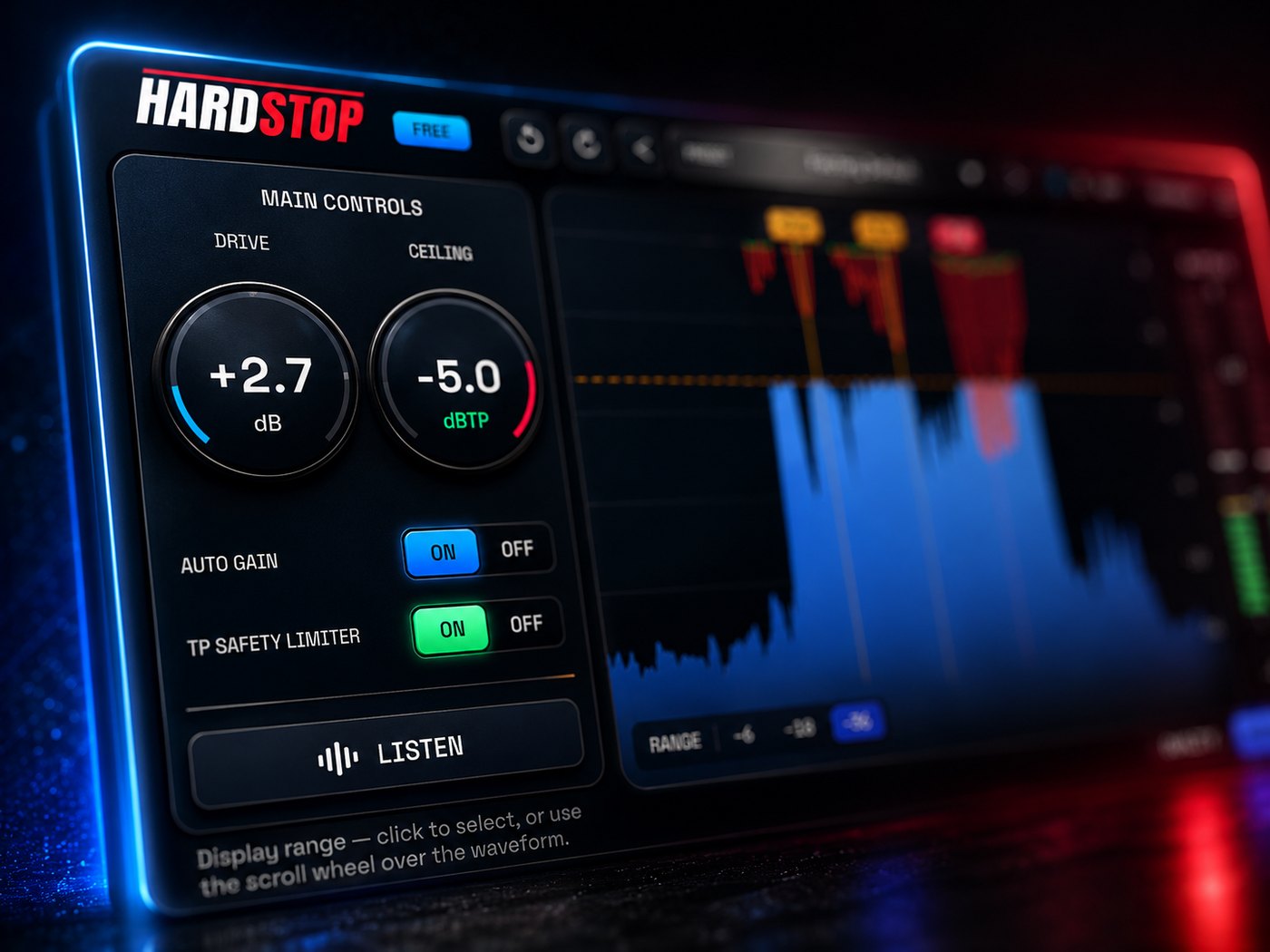
A raw clipper only sees individual samples. But when your track plays back through speakers, the signal is reconstructed between those samples - and those in-between points can peak higher than any sample did. That's a true peak, and it's what makes streaming services turn your track down or add distortion.
HardStop's true-peak metering and limiting exceed the ITU-R BS.1770-5 standard: it measures at 8X oversampling where the specification requires 4X. Turn TP on and the output is guaranteed under your ceiling on any decoder - ISP-safe, every time.
A real mix taken from -14 to competitive loudness, with the gain-reduction display showing every peak that got shaved. Recording now - check back shortly.
Out of the box, Pro is a byte-exact transparent hard clipper - identical to Basic. Then you reach for the character knobs, each tuned by ear for maximum flexibility without ever leaving the anti-aliased engine.
Sets how sharp the clip is. HARD cuts the peak flat and transparent; toward SOFT the corner rounds off into a smooth polynomial knee - warmer, denser, still alias-free.
A transient detector tunes the clipping algorithm exactly when transients hit and backs off on sustains. Drums stay punchy, sustained bass distorts less. It never clips more than Classic.
Colours the clipped signal with glue or aggression. TUBE adds odd and even harmonics with a DC-offset filter; PUNCH adds odd harmonics plus subtle waveshaping. Either way, the ceiling stays exact.
A mastering-style pre-clip tilt with a focal point around 750 Hz and opposing ugly-band cuts - brightening also removes mud, warming removes harshness.
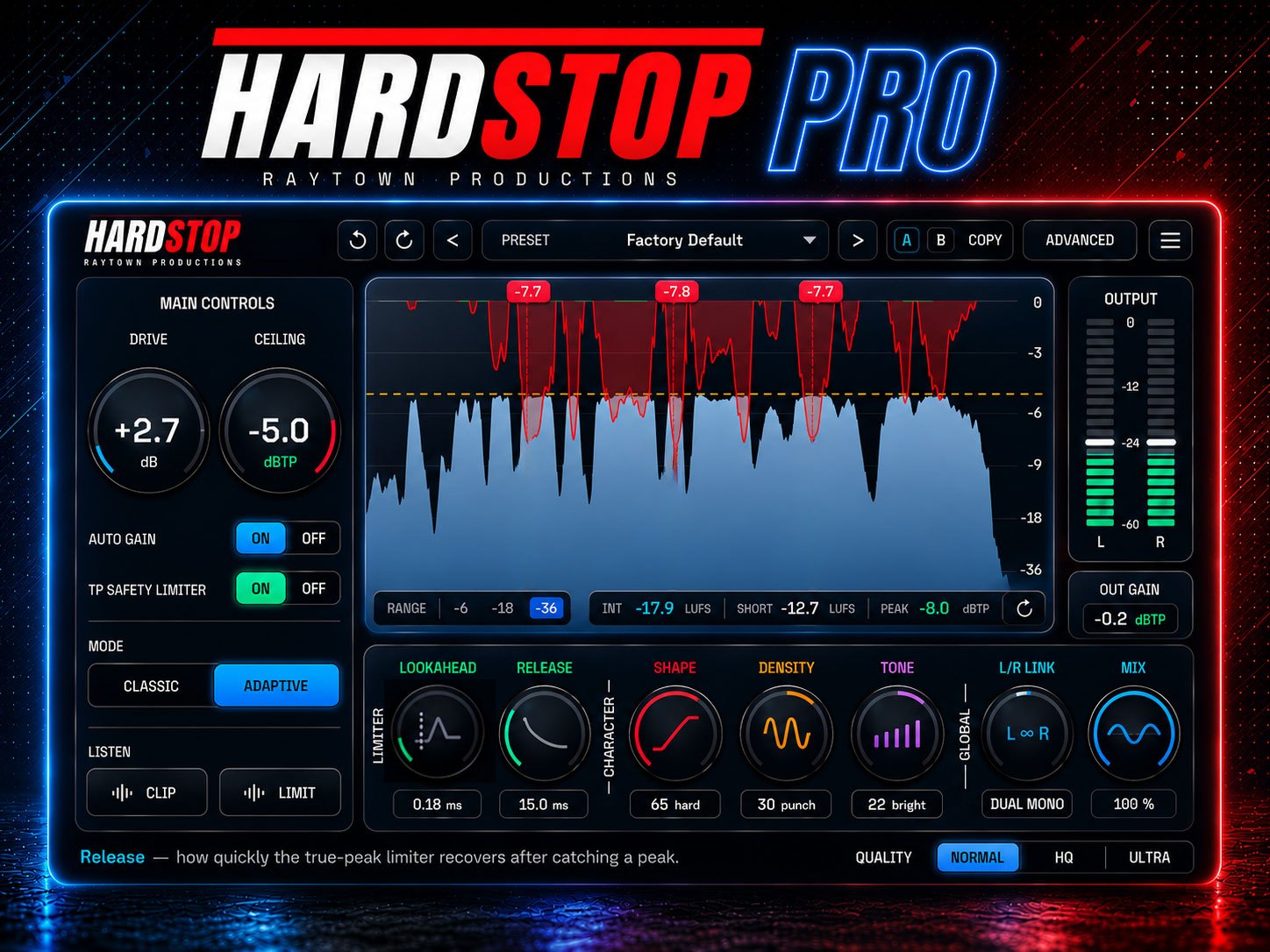
Dial the TP limiter from 0.1 to 5 ms of lookahead and set exactly how fast it recovers - release becomes a groove control. Latency stays constant regardless of the value.
Run from fully linked (image-preserving) to dual mono, and blend latency-matched clean signal back in with Mix to restore transients without losing the loudness.
Integrated, short-term and session-peak readouts right under the waveform, plus the complete factory preset library curated by Raytown Productions.
Genuinely free, forever. HardStop opens in the Basic tier on first launch - fully functional, no timer, no watermark. Downloading it asks for an email address so we can send you the file and let you know about updates - that is the only thing we ask for. Basic's output at default settings is byte-identical to Pro's. You only pay if you want the character section, the extra limiter control and the LUFS metering.
Use it before your final limiter, not instead of it. HardStop shaves the peaks so your limiter has less work to do - you get more LUFS with the transients intact. That said, HardStop's own mastering-grade true-peak limiter can do the whole job in a bind.
Normal is a trivial hard clip with no anti-aliasing and zero latency - it aliases by design when pushed, which makes it the "character" tier and the right choice for tracking. HQ is the daily driver: advanced anti-aliasing with linear-phase reconstruction, flat in-band to ±0.002 dB. Ultra gives roughly 40X oversampling performance at about one-eighth the CPU cost, flat to ±0.0003 dB - recommended whenever you're using Density or clipping hard. All three tiers ship in the free version.
With TP on, yes. An oversampled lookahead limiter catches the intersample overshoots a raw clipper can't see, and the output has been tested against real audio sources and worst-case scenarios so it doesn't fail normalisation. HardStop's true-peak metering measures at 8X oversampling where ITU-R BS.1770-5 only requires 4X.
In Normal quality, none at all - zero samples. HQ adds about 100 samples and Ultra about 114; True Peak mode adds a small constant amount. Whatever the setting, HardStop reports its latency to your DAW so playback stays in sync automatically. Pro's lookahead value doesn't change the reported latency.
Three machines per licence, and you manage the seats yourself from inside the plugin - the Machines tab shows a live list with name, OS and last check-in, plus per-machine deactivation and a "deactivate all others" option if you're moving studios.
No. HardStop works offline. If it can't reach the server, Pro features stay active for a 30-day grace window, and a single online check-in restores them for another 30 days. Trials work offline until they expire. There are no usage analytics in the plugin - the optional update check sends only the plugin version and OS.
No. HardStop Pro is a one-time purchase, not a subscription - you own the licence, and every update is included.
Yes - a 14-day free trial with no payment information required. Open the Advanced view, choose Start 14-Day Free Trial and enter your email; the server sends a 6-digit code and every Pro feature unlocks instantly. If you buy during the trial it upgrades in place and your presets and settings carry over.
Rescan your plugins and confirm your DAW is loading 64-bit VST3, then restart the DAW - a restart after installing is required in most hosts. If it still doesn't appear, get in touch below and we'll sort it out.
Turn TP on. Without it, intersample (true) peaks can exceed the sample ceiling - that isn't a defect, it's simply the mathematics of how clippers work. With TP engaged the output is guaranteed under your ceiling in real, played-back level.
HardStop is designed and tuned by Bobby Balow at Raytown Productions. If something's broken or you just want to argue about clipping, write in.
Installation, licences, or anything not behaving. The plugin's Get support button pre-fills a diagnostic email so we can fix it faster.
support@raytownproductions.com →Opens a pre-filled email with the details we need - your OS, plugin version, licence type and DAW. Fill in the blanks and send. Suggestions welcome too.
Email a bug report →Every control, every range, explained twice - once in plain English and once precisely. Quick start gets you a loudness win in five minutes.
Open the manual →It's just an email address to try today. No timers or credit cards needed to start. If HardStop doesn't immediately earn its place - delete it.
14-day Pro trial · 3 machines · works offline for 30 days between check-ins · one-time purchase